A shared basis for decisions.
Compare market activity with deal outcomes and buyer feedback. Keep the evidence behind the direction you choose.
A CRM loss reason tells you very little on its own. Segment8 compares wins, losses and buyer feedback with competitor activity, so you can see the pattern, change the proof or message, and prepare Sales before the same deal slips again.
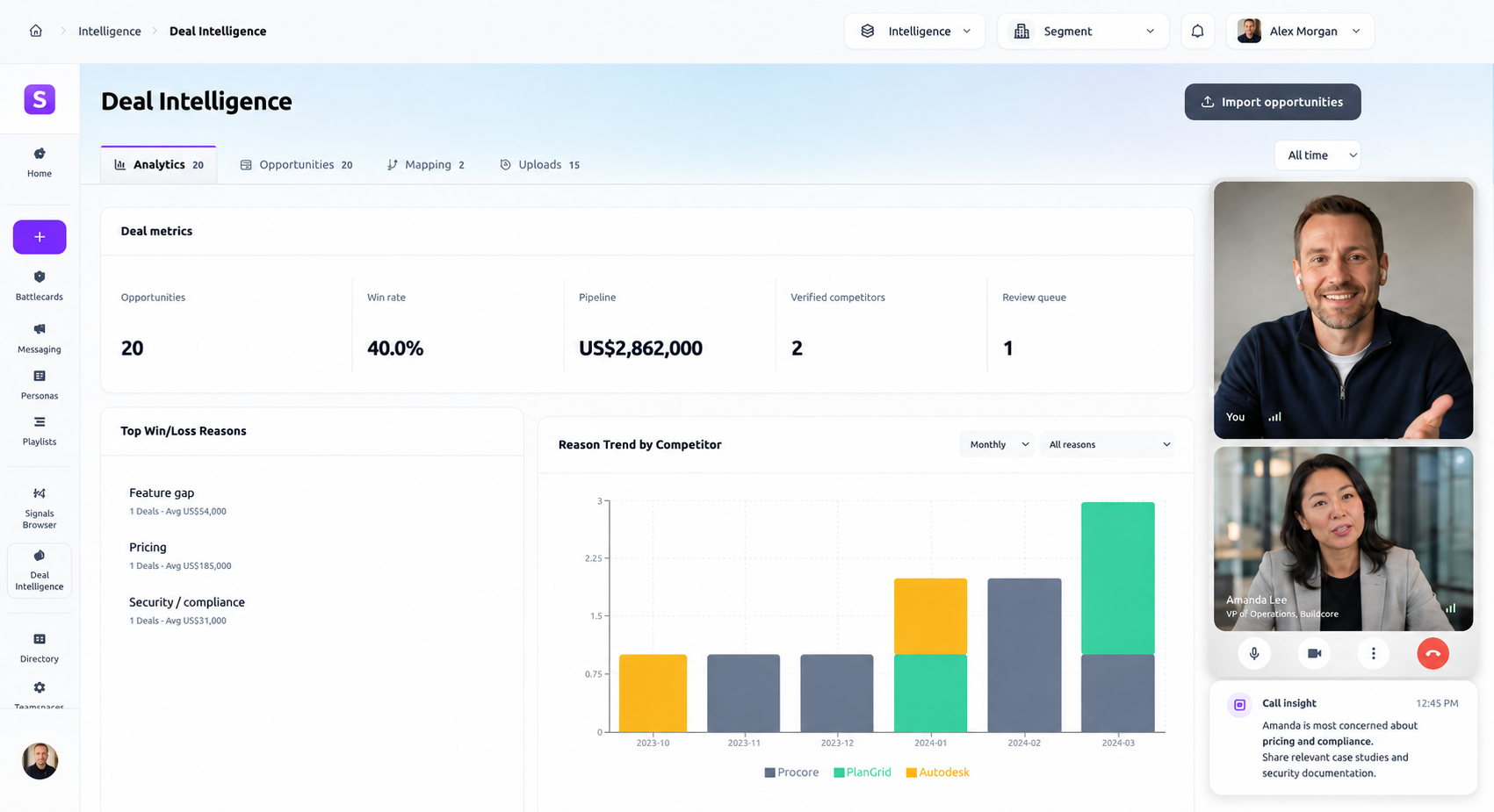
Compare market activity with deal outcomes and buyer feedback. Keep the evidence behind the direction you choose.
Connect positioning, personas, battlecards and launch plans with the people responsible for putting them to use.
Review patterns and suggestions alongside the evidence, then decide what your team should change.
Put approved guidance in Segment8, email and connected channels, ready for the next customer conversation.
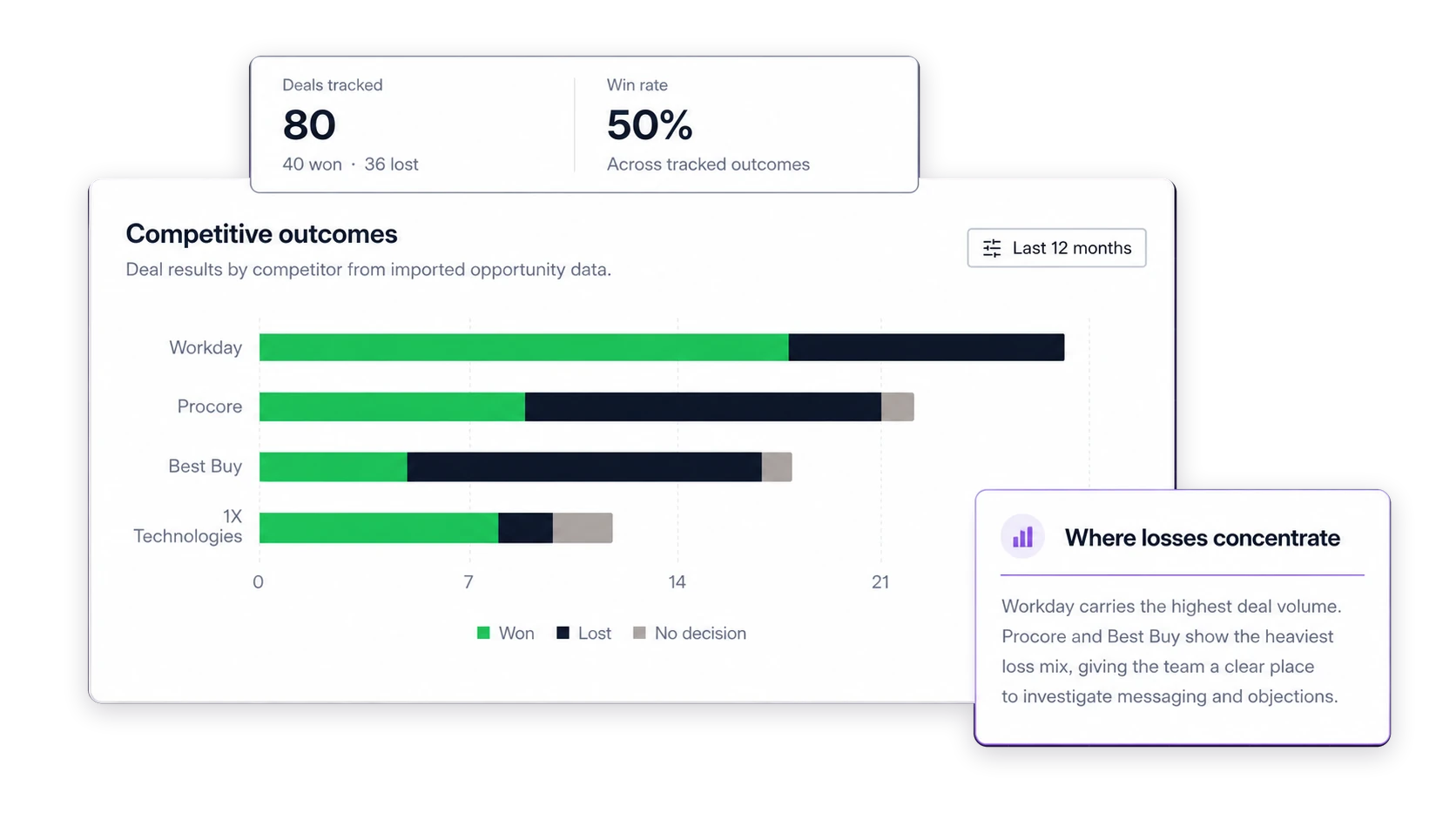
Sync HubSpot deals or upload a CSV. Segment8 matches competitor names and puts deal results beside market activity, buyer evidence, and the GTM response, rather than leaving the pattern in a separate analytics tool.
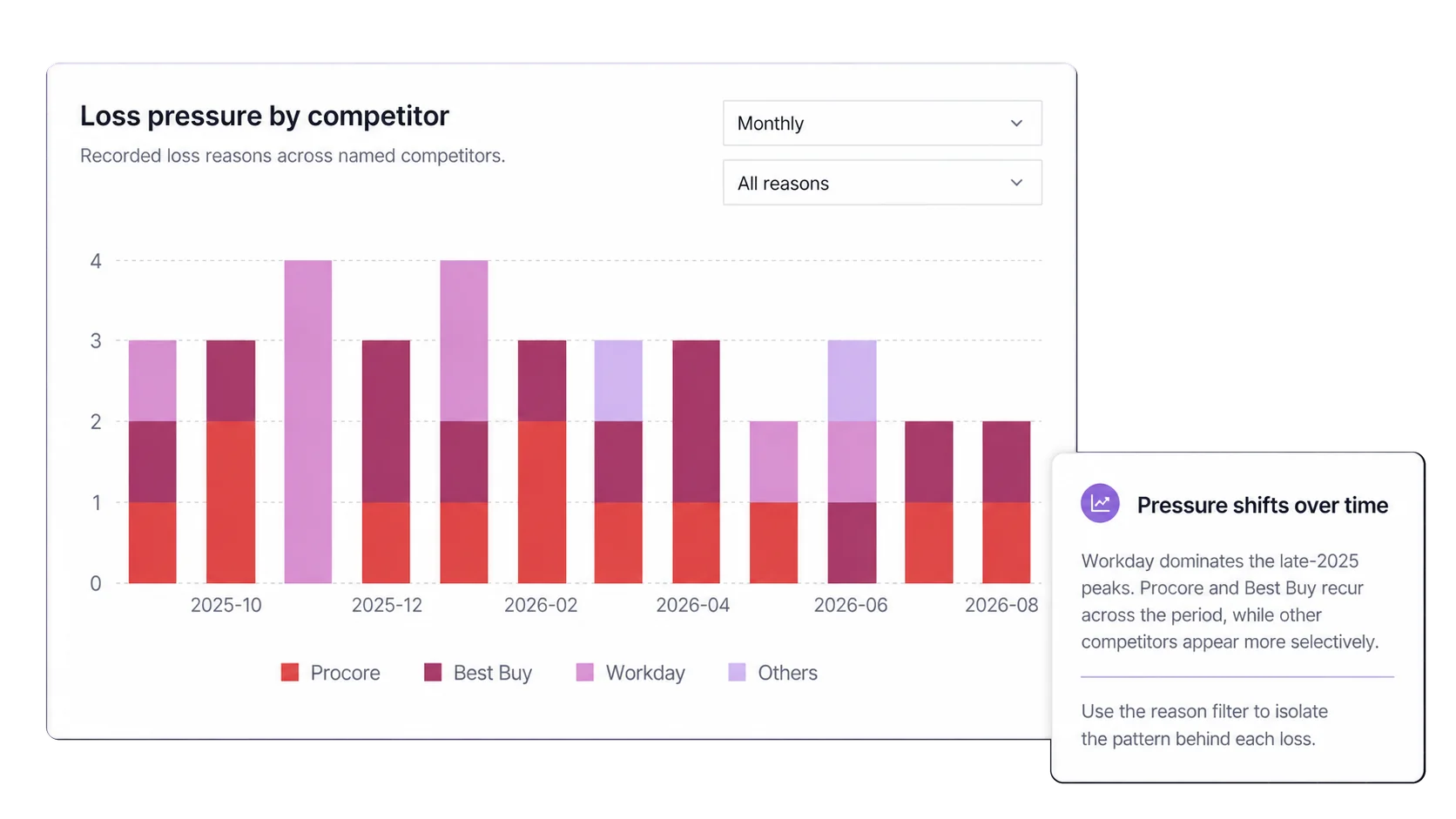
Compare closed outcomes by competitor, loss reason, deal value, and time. Bring the pattern together with market changes so the team can coordinate a response before the next deal follows it.
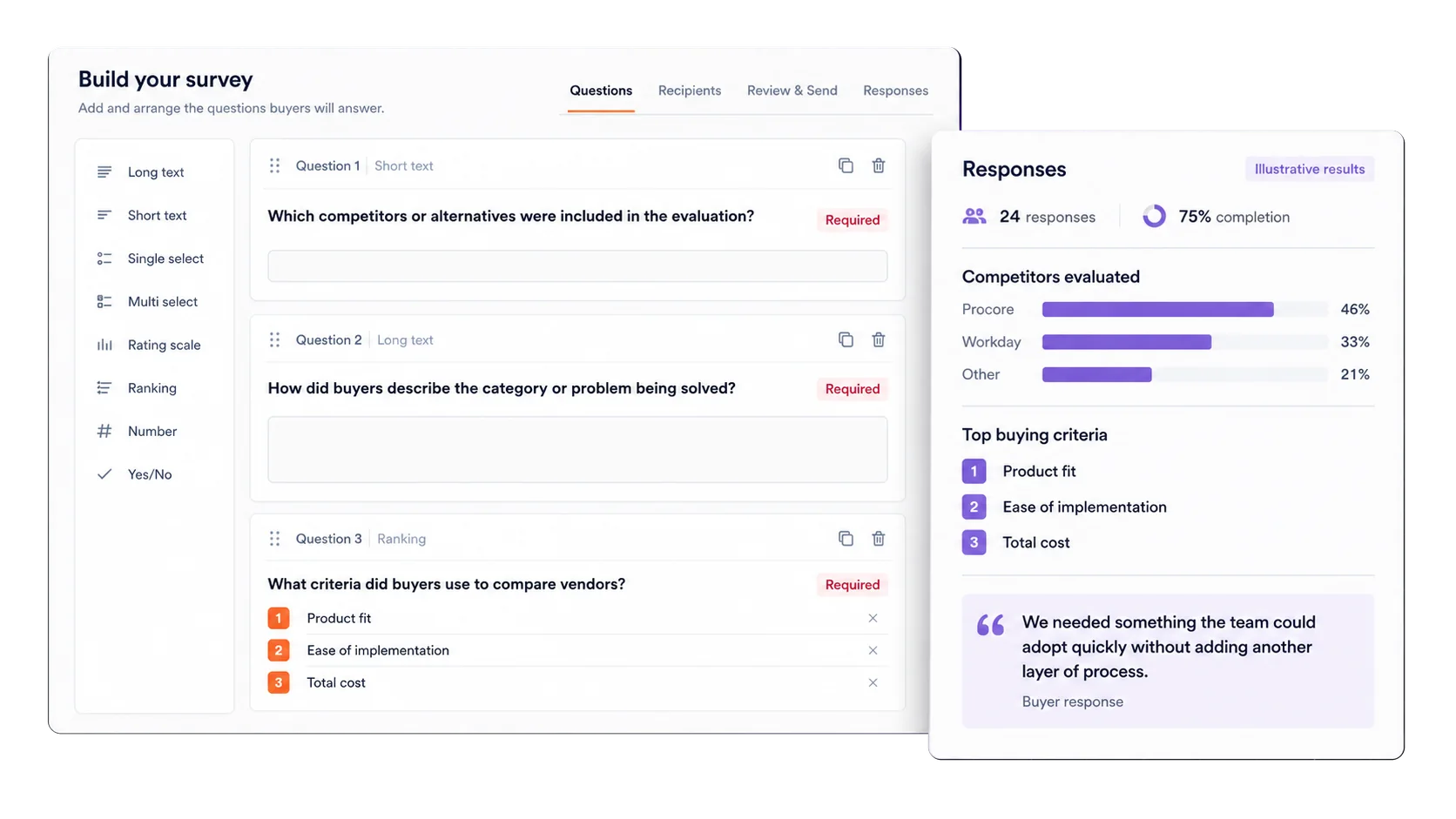
Run structured Win-Loss research and compare what buyers say directly with seller-entered CRM fields. Keep both sources distinct while using them in the same competitive decision.
Move from analysis to the GTM work it should change. Update strengths, weaknesses, objections, and proof in the battlecard, then give sellers an approved response for the next deal.
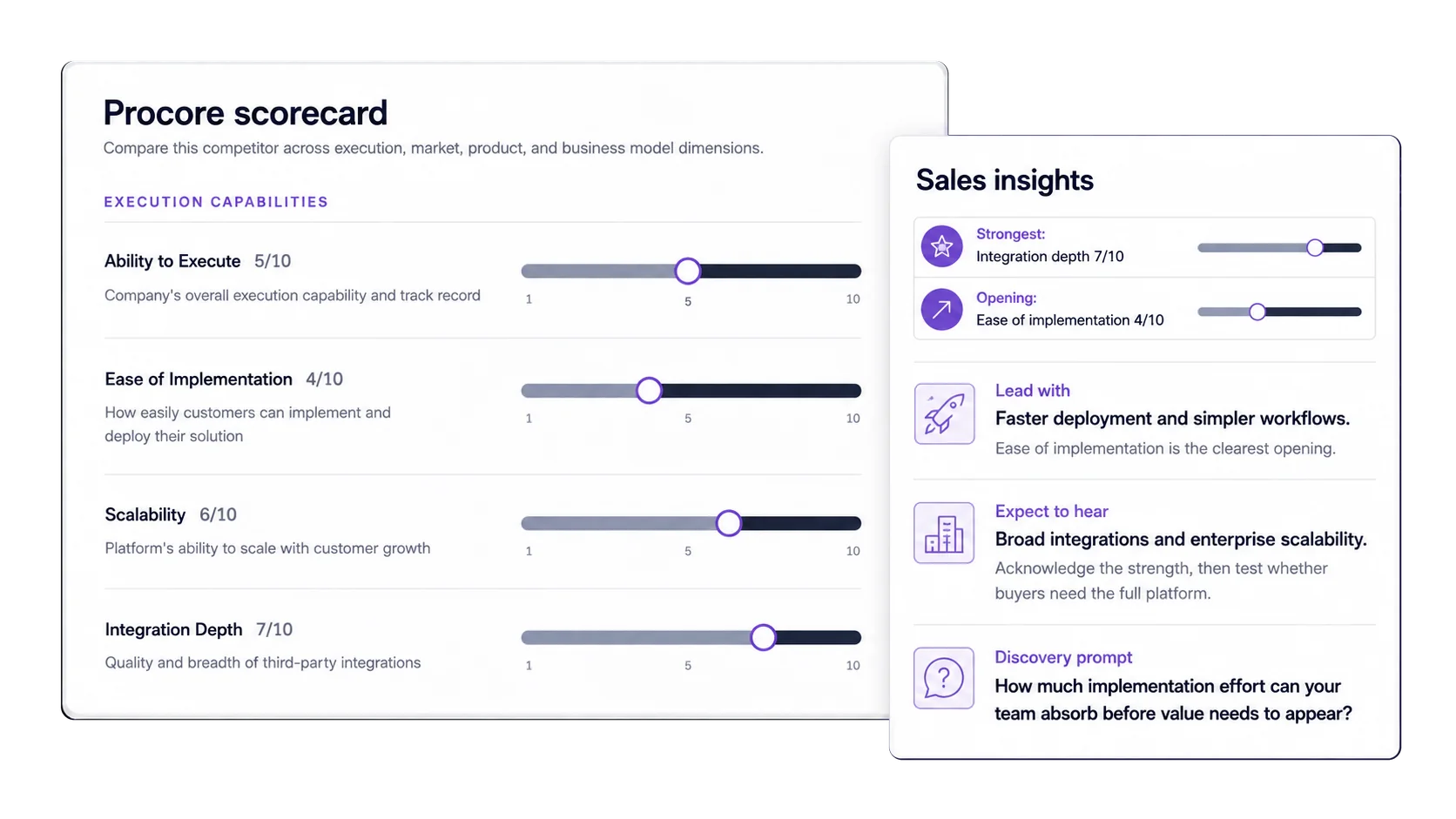
Bring CRM outcomes into the same platform as market activity and GTM work.
Pick the fields to use, such as stage, close date, amount, and competitor.
Check the HubSpot records before you save the setup.
Keep HubSpot deal data up to date on a set schedule.
Upload old deals or a separate deal list from a CSV file.
Review HubSpot and CSV evidence in one competitive view.
Put different names for the same competitor under one name.
See where each deal came from and which fields are missing.
Compare won, lost, and other deal outcomes.
Compare win rate by competitor and deal field.
See how many deals make up each win rate.
Find repeated reasons early enough to coordinate a response.
Compare wins and losses by deal value and competitor.
See how deal results change from one period to the next.
Filter by period, competitor, outcome, and deal size.
Give leaders the evidence behind the competitive response.
Build structured buyer research for the question the team needs to answer.
Select and reuse approved groups of buyers or prospects.
Send unique survey invitations through the governed email path.
Use question-level buyer evidence beside CRM and competitor patterns.
Win-loss analysis software shows why buyers choose, reject, or delay a purchase. Segment8 combines HubSpot or CSV deal outcomes with direct buyer feedback from structured surveys. CRM loss reasons remain separate from what buyers report.
Win-loss analysis software finds patterns in closed deals. Segment8 puts wins, losses, competitors, deal size, and close time in one view, then links the result to market changes and the response your team uses.
Segment8 connects win-loss analysis and deal intelligence with competitive intelligence, positioning and messaging, competitive battlecards and sales enablement. Your team reviews the evidence and decides what needs to change.
Connect a HubSpot deal set or upload a CSV file. Choose fields such as deal name, stage, close date, amount, outcome, and competitor. Segment8 previews the records before they are used in analysis.
Segment8 can use deal name, pipeline, stage, close date, amount, outcome, and competitor fields. It keeps missing optional values visible instead of making up a reason or competitor.
Yes. Segment8 groups the same competitor under one name, then shows win rate and deal count for each competitor. This makes it easier to see where your team is winning and where it needs a stronger response.
Yes. Review the loss reasons recorded in your deal data and find the reasons that appear most often. Compare them by competitor, deal value, and close period to see where the pattern is strongest.
Yes. Compare win-loss trends with competitor launches, pricing changes, hiring, funding, and other classified market signals. Use the result to choose the next competitive response and update the right guidance.
A CRM loss reason records the seller or operator's structured deal field. Win-Loss research asks the buyer directly and preserves the response as separate evidence. Segment8 lets teams compare the two without pretending they are the same source.
Yes. Segment8 can create participant cohorts, send unique governed survey invitations, track participation, and present structured question-level results. The exact delivery path must be enabled for the account.
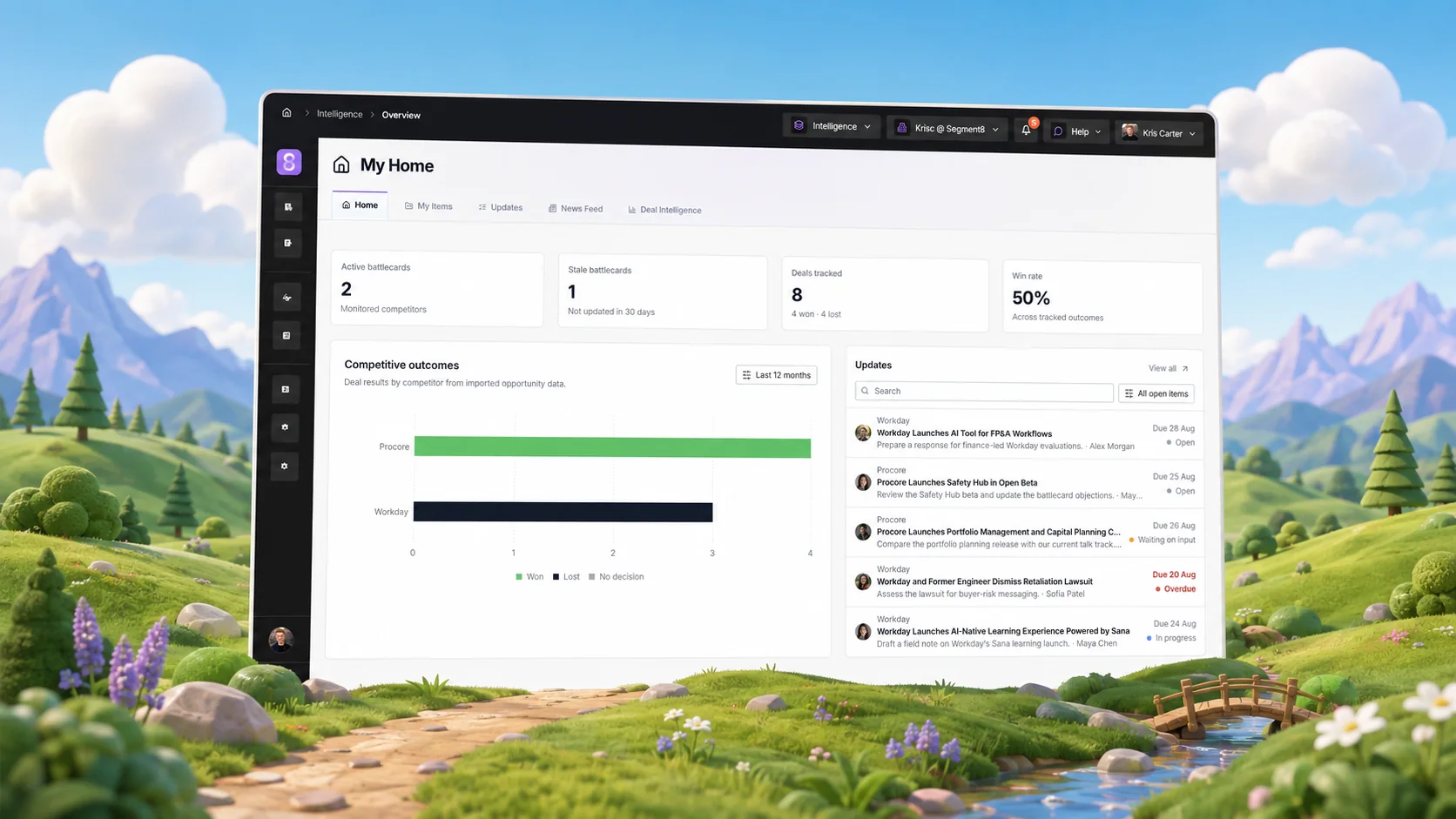
See how Segment8 replaces scattered competitor research, CRM reports and launch docs with one place to update the answer Sales needs.
Read the article →
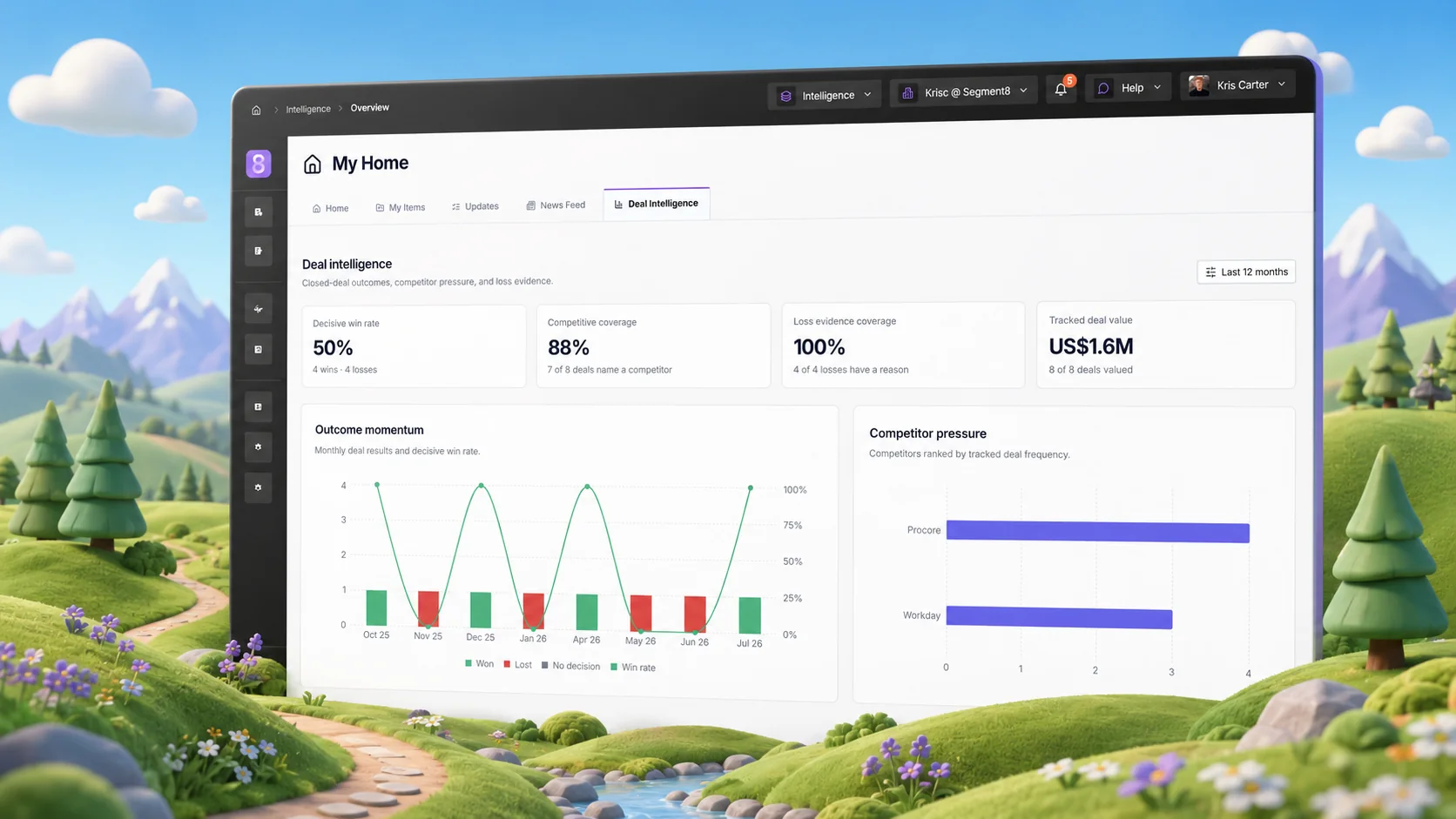
Use this guide to test whether a platform removes the handoffs that leave your team rebuilding the answer in every deal.
Get the guide →
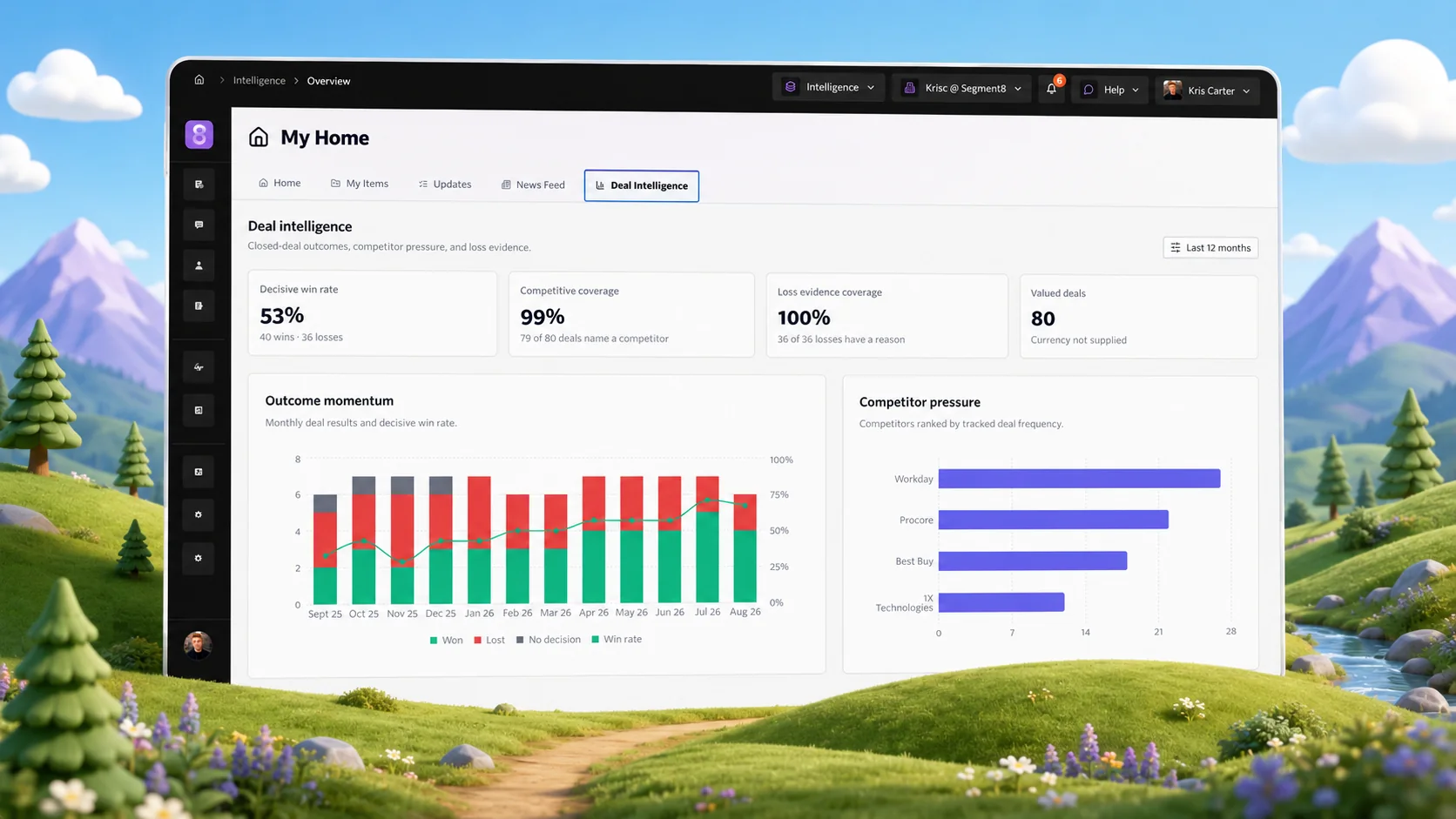
Bring the competitor move, buyer objection or launch change that is stuck. We will show how Segment8 turns it into an assigned update, approved battlecard or seller answer.
Request a demo →